INVL is a small inventory counter you stick where the stock actually lives: the walk-in door, a freezer rack, the supply closet. Easy enough that people do it, smart enough to keep your business running. No clipboard, no spreadsheet, no one "getting to it later."
Free desktop app for macOS and Windows · Your data stays on your machine
Based in Cincinnati. Local orders can be hand delivered and set up in person.
The real thing
Working prototypes. A white textured case, a screen you can read across the room, and two buttons you can find with a gloved hand.
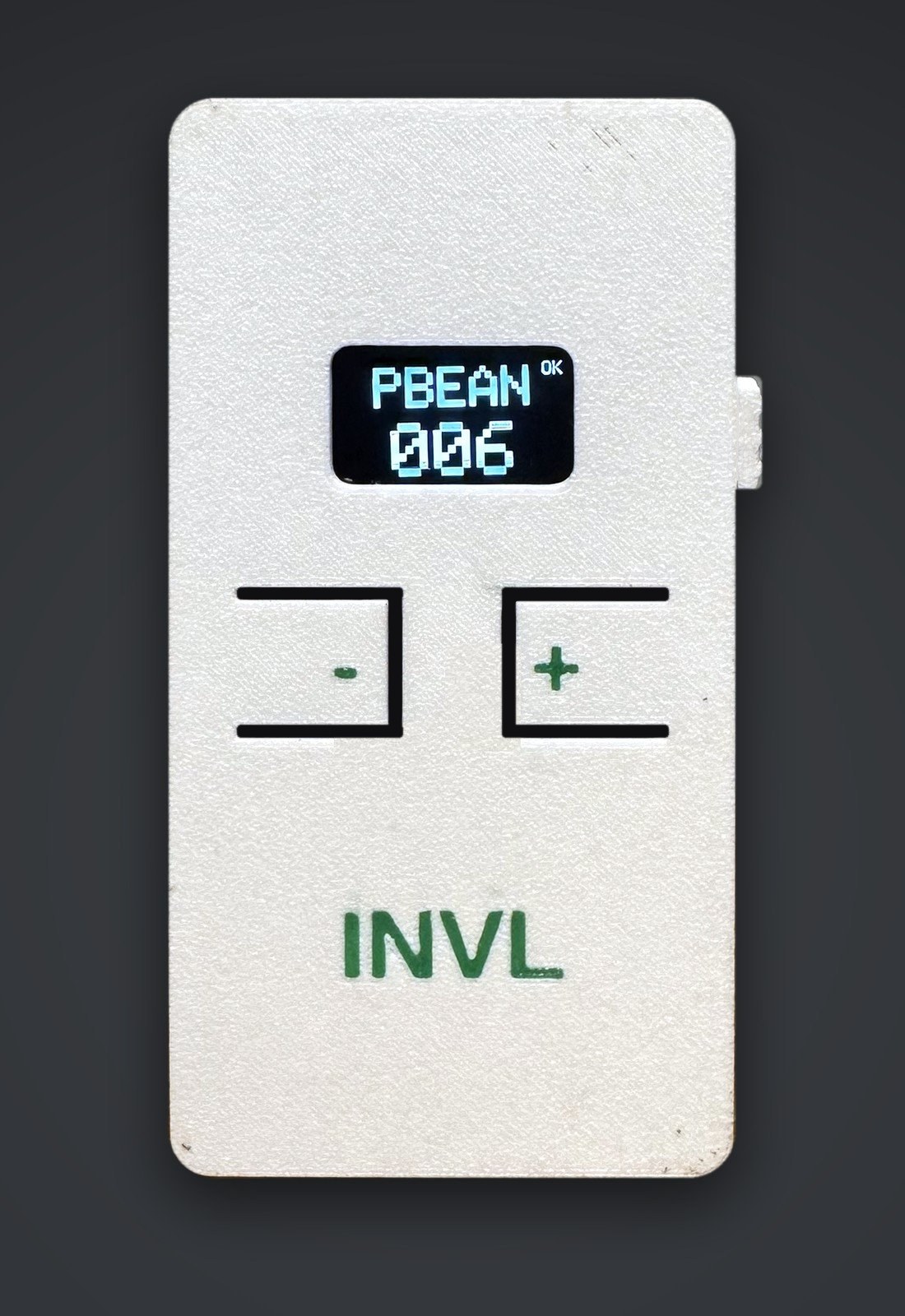
OK when the last report reached the hub.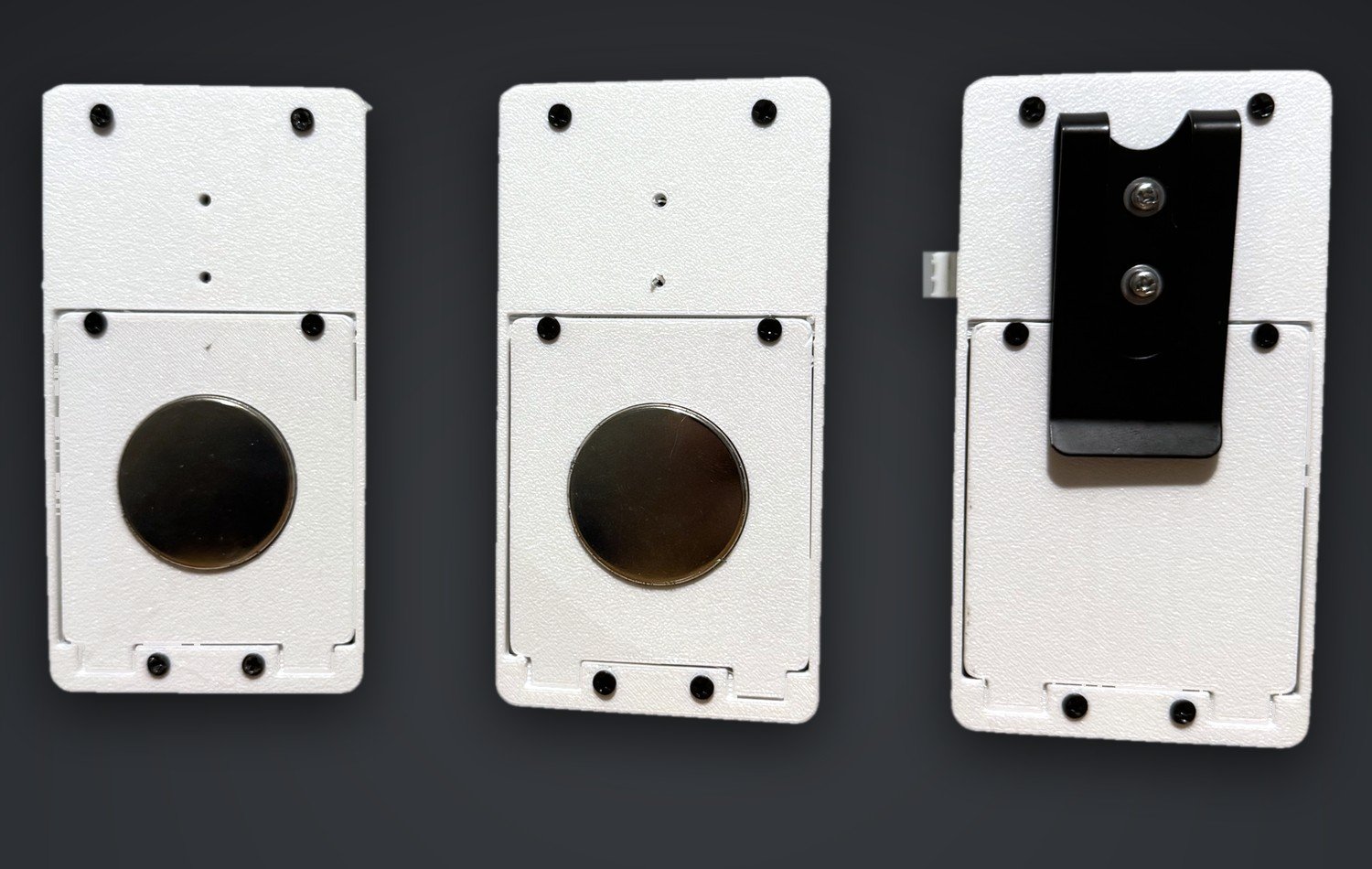
What we believe
A customer who doesn't get the same experience twice rarely tells you about it. That silence is the expensive part, and it costs you more than the one thing you ran out of.
Most people never complain. They quietly decide you're unreliable, and then they answer honestly when a friend asks them for a recommendation.
Whoever is on the floor takes the frustration for a decision made in a stockroom three days earlier. Do that to good people often enough and they stop trying.
When nobody can say who checked last, everyone assumes it was somebody else's job. Resentment builds between people who were all trying to do the work properly.
Consistency is built when everyone shares accountability for maintaining excellence.
Accountability gets easier when everyone is looking at the same number. Not a guess, not a sheet somebody meant to update, not a conversation nobody quite remembers. One count, in front of the whole team, with a record of what changed and when: no excuse left to hide behind, and nothing to argue about after the fact.
How it works
The screen shows a five-character item code and the current count, like CUPS 027. Take a sleeve, press minus. It reads at a glance from across the room, and it works with gloves on.
Presses batch up and go to the hub app on your back-office computer every 30 seconds. The device finds the hub by itself, so there is nothing to type and no IP addresses.
Every item, count, and location in one table. Low items turn red. Every change is logged with a timestamp. Export to CSV when you build the order.
The database always wins. If a manager corrects a count on the dashboard, the device adopts the corrected number on its next check-in. There's exactly one right answer at any moment, and it's the one on your screen.
Who it's for
Cases of fries in the freezer, kegs in the cooler, to-go containers, gloves, cups, liquor bottles behind the bar. Put a counter on the rack and the count keeps itself.
Salons, clinics, workshops, coffee roasters, cleaning crews. Anywhere a small team pulls from a supply shelf and nobody has time to run a real inventory system.
Paper towels, toilet paper, trash bags, coffee pods, pet food, water filters. Stick one in the pantry or garage and never buy a fourth pack of something you already have.
What you get
There is no server of ours in the middle of your inventory. There is nothing to log into and nothing to cancel.
Install the app and open it. There's no sign-up, no email, no licence key.
Counts live in a single database file on your computer. Nothing leaves your Wi-Fi.
Internet down? Devices and dashboard keep talking. They only need the local network.
Export CSV any time, or download the whole database as one file for backup.
Every press and every manual adjustment is logged with a time and a reason.
Set a threshold per item. The row turns red the moment you cross it.
A new device opens a Wi-Fi setup page on your phone. No laptop, no cables.
New devices announce themselves on the network. One click to register.
Install the hub, add a few items, and see the dashboard before you order a single counter.